
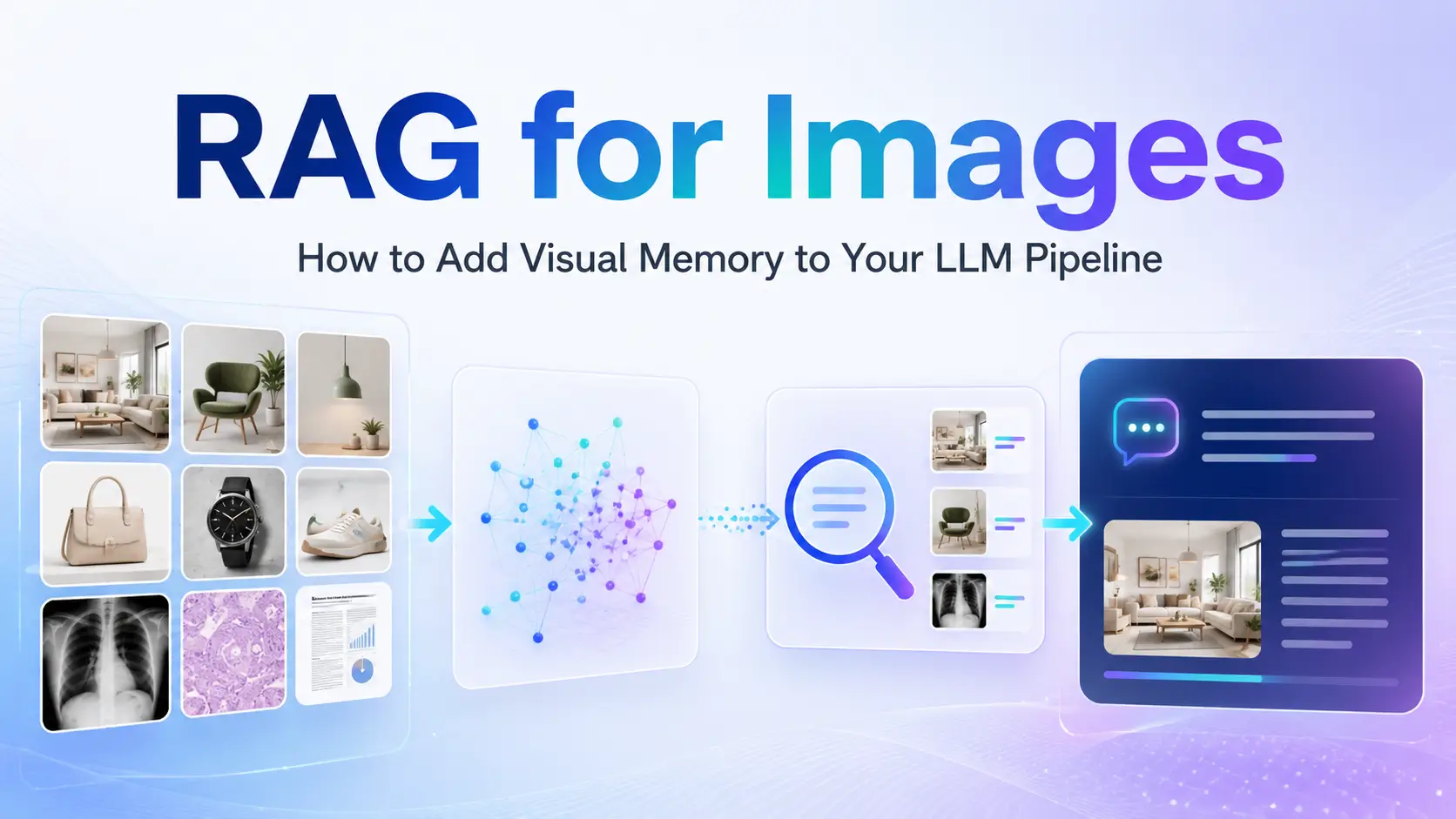
Large language models can answer questions about information available in their training data or supplied as context. But what happens when the information you need exists in thousands—or millions—of images?
Consider a company with 50,000 product images, a hospital with years of medical scans, or a manufacturing company storing images of product defects. A standard text-based Retrieval-Augmented Generation (RAG) pipeline cannot directly retrieve these images as knowledge.
This is where RAG for images, also called Visual RAG or Multimodal RAG, becomes useful.
Visual RAG gives an LLM pipeline a form of visual memory. Instead of retrieving only text documents, the system retrieves relevant images and provides them to a vision-language model (VLM) as context.
The result is a pipeline that can answer questions such as:
- Which product image is most similar to this photo?
- Have we seen a similar defect before?
- Which archived images match this visual pattern?
- What does this screenshot represent?
- Which products visually match a customer’s requirements?
In this guide, we will explain how visual RAG works, how to build a basic pipeline with CLIP and FAISS, which tools can be used in production, and where image retrieval can provide real-world value.
Key Takeaways
- RAG for images extends traditional RAG by making visual data searchable.
- Image embeddings convert visual information into vectors that can be retrieved efficiently.
- CLIP can place text and images into a shared embedding space.
- FAISS, Qdrant, Pinecone, Weaviate, and Milvus can be used for vector search.
- A vision-language model can use retrieved images to generate a grounded response.
- Visual RAG is useful for e-commerce, manufacturing, medical imaging, satellite analysis, and multimodal documentation.
What Is RAG for Images?
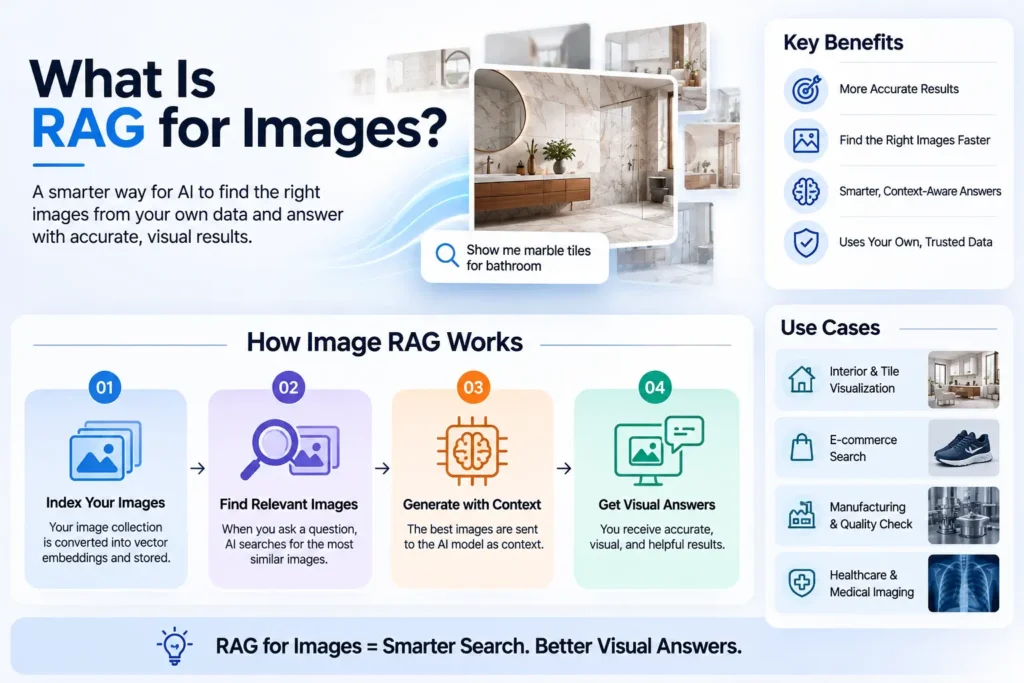
Retrieval-Augmented Generation (RAG) is an architecture where relevant information is retrieved from an external knowledge base and supplied to an LLM before it generates an answer.
The traditional RAG process is:
Query → Retrieve → Augment → Generate
Traditional RAG primarily works with text documents. RAG for images extends this architecture by making images part of the retrievable knowledge base.
Instead of retrieving paragraphs from PDFs or web pages, a visual RAG system retrieves images that are semantically similar to a text or image query.
For example, a user could upload a photograph of a sofa. The system converts that query into an embedding, searches an image vector database, retrieves visually similar products, and sends those images to a vision-language model.
The VLM can then generate a natural-language response based on the retrieved visual context.
Why Are Images Different From Text?
Images cannot simply be handled like text documents. There are three major challenges.
1. Images Have No Natural Chunks
Text can be divided into paragraphs, sentences, or smaller chunks. An image does not have the same natural structure.
A single image can contain multiple objects, relationships, colors, textures, and contextual details.
Think of it this way: chunking a photo is like trying to split a conversation into meaningful pieces with scissors.
Instead, visual RAG generally converts the entire image—or selected visual regions—into an embedding vector representing its visual meaning.
2. Text and Images Exist in Different Spaces
A computer does not automatically understand that an image of a red car and the words “red car” represent the same concept.
Visual RAG therefore needs a mechanism for connecting text and visual information.
This is where multimodal embedding models such as CLIP become important. CLIP can map text and images into a shared vector space, allowing a text query to retrieve relevant images.
You can think of CLIP as a universal translator between visual and textual meaning.
3. Image Retrieval Must Work at Scale
A large product catalog could contain hundreds of thousands or millions of images. Each image requires an embedding that can be indexed and searched efficiently.
Approximate nearest-neighbor systems such as FAISS, Qdrant, and Milvus are designed to make vector retrieval practical at scale.
How Does Multimodal RAG Work?
A basic visual RAG pipeline looks like this:
Images → Encode → Vector Store → User Query → Retrieve → VLM → Answer
Step 1: Image Ingestion
First, collect the images that your AI system needs to understand.
These could include:
- Product images
- Medical scans
- Manufacturing inspection images
- Satellite imagery
- Screenshots
- Design references
This becomes your visual knowledge base.
Just as traditional RAG indexes PDFs and web pages, visual RAG indexes image collections.
Step 2: Encode Images Into Embeddings
Each image is passed through a vision encoder such as CLIP, SigLIP, or DINOv2.
The encoder converts the image into a numerical vector called an embedding.
Similar images should produce vectors that are close together in the embedding space.
A useful analogy is to think of an embedding as a GPS coordinate for meaning. Images with similar visual characteristics should have nearby coordinates.
Step 3: Store Embeddings in a Vector Database
The image embeddings are stored in a vector database or vector index.
Examples include:
- FAISS
- Qdrant
- Pinecone
- Weaviate
- Milvus
The database’s job is to quickly find the images whose vectors are most similar to the query vector.
Step 4: Accept a Text or Image Query
The user can provide either a text query or an image.
For example:
“Find images of cracked ceramic tiles.”
Or:
Upload an image and ask, “Find products that look like this.”
The query is converted into an embedding in the same vector space.
Step 5: Retrieve the Top-K Images
The vector database searches for the most similar images.
For example, the system might retrieve the top five matching images.
These retrieved images become the visual context for the generation step.
Step 6: Generate an Answer With a VLM
Finally, the retrieved images and original query are passed to a vision-language model such as GPT-4o, LLaVA, or another multimodal model.
The model can then reason over the retrieved visual context and generate an answer.
This is the key advantage of visual RAG: the model receives relevant visual information from your own database instead of relying only on its pretrained knowledge.
Tools for Building Visual RAG
Different tools solve different parts of the pipeline.
Embedding Models
| Model | Best For |
| CLIP ViT-L/14 | General image + text retrieval |
| SigLIP | Multimodal similarity and retrieval |
| DINOv2 | Vision-only image retrieval |
| Jina CLIP v2 | Multilingual text + image search |
For developers building a basic text-to-image retrieval system, CLIP provides a straightforward starting point.
Vector Databases
| Database | Best For |
| FAISS | Local prototyping and research |
| Qdrant | Production retrieval and metadata filtering |
| Weaviate | Multimodal applications |
| Pinecone | Managed vector infrastructure |
| Milvus | Large-scale enterprise workloads |
The best choice depends on your deployment model, expected scale, metadata requirements, and operational needs.
RAG Frameworks
LlamaIndex provides multimodal RAG capabilities and can be useful for Python developers building RAG applications.
LangChain can also be used for multimodal workflows, although image-based pipelines may require more custom configuration.
For teams that require maximum control, a custom pipeline provides flexibility but requires more engineering work.
Real-World Visual RAG Use Cases
1. E-Commerce Visual Search
A customer uploads a photograph of a sofa. Visual RAG retrieves visually similar products from a large catalog, and a VLM can generate a comparison of the results.
2. Medical Image Retrieval
A medical system can retrieve visually similar archived scans and associated information. This can help professionals search large collections of historical images.
3. Manufacturing Defect Detection
Manufacturers can store images of known product defects. When a new inspection image arrives, visual RAG can retrieve similar defect examples and provide visual context for classification.
For industries such as tiles and surfaces, this could help identify patterns such as cracks, chips, or surface defects.
4. Satellite and Geospatial Analysis
Analysts can search satellite image databases using natural-language descriptions such as flood damage or land-use patterns and retrieve visually relevant imagery.
5. Multimodal Documentation
A user can upload an error screenshot and ask what it means. The system can retrieve similar screenshots from a documentation image database and provide troubleshooting guidance.
Challenges and Limitations
Visual RAG is powerful, but it is not perfect.
Storage cost is one consideration. Large image collections require substantial embedding and index storage.
Retrieval accuracy is another challenge. If the retrieved images are not sufficiently relevant, the VLM may produce an incorrect interpretation.
Hallucinations can still occur. A system should use similarity thresholds and appropriate fallback behavior rather than assuming every retrieved result is reliable.
Latency can also increase because the system must encode the query, search the vector index, retrieve images, and run a multimodal generation step.
Finally, visual RAG does not yet have the same mature benchmarking ecosystem as traditional text RAG, making evaluation more difficult.
Conclusion
RAG for images is the next step in extending retrieval systems beyond text. By combining image embeddings, vector search, and vision-language models, developers can give LLM applications access to visual information stored in their own databases.
The basic architecture is straightforward:
Collect images → Generate embeddings → Store vectors → Retrieve relevant images → Send them to a VLM → Generate a grounded response.
For experimentation, a combination such as CLIP + FAISS + a vision-language model provides a practical starting point. Production systems can then add metadata filtering, scalable vector databases, caching, asynchronous processing, and evaluation pipelines.
As multimodal AI continues to develop, visual memory can become an important foundation for applications ranging from visual search and product discovery to manufacturing inspection, documentation, and intelligent computer-vision systems.
Frequently Asked Questions
What is RAG for images?
RAG for images is a retrieval-augmented generation architecture that allows an AI system to retrieve relevant images from an external visual knowledge base and provide them to a vision-language model as context.
How does multimodal RAG work?
Multimodal RAG converts images and queries into embeddings, stores the image embeddings in a vector database, retrieves the most relevant visual results, and passes those results to a multimodal model to generate a grounded response.
What is the difference between text RAG and image RAG?
Text RAG retrieves text chunks from documents, while image RAG retrieves visual information from image collections. Image RAG requires multimodal embeddings and a model capable of understanding visual context.
What is CLIP and why is it used in visual RAG?
CLIP is a multimodal model that maps images and text into a shared embedding space. This makes it possible to use a text query to retrieve semantically related images.
Which vector database is best for images?
There is no single best option. FAISS is useful for local development and research, while Qdrant, Weaviate, Pinecone, and Milvus provide different options for production and large-scale deployments.